Dova — Expense Tracker
Your money.
Finally simple.
Track expenses, understand your spending, manage budgets, and keep your financial life organized — without turning it into a full-time job.
Free to start. No account required.
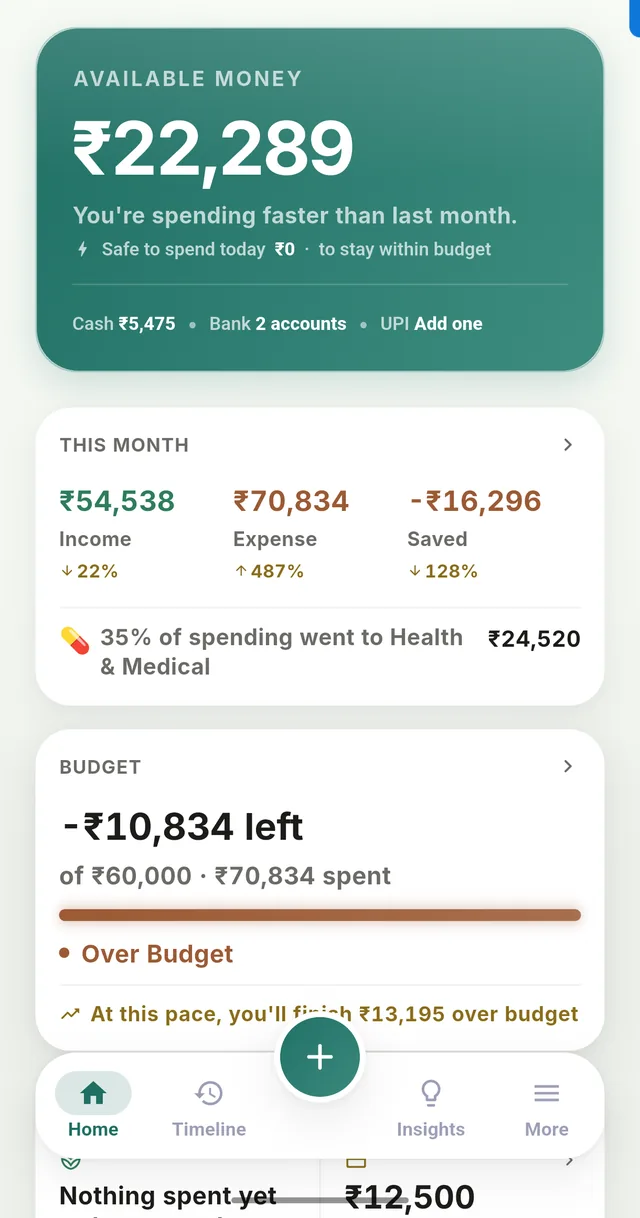
Three steps. That's the whole app.
01 — Capture
Add it in seconds
Type it, speak it, or snap a receipt. Manually, with voice, or with receipt scanning where you need it.
02 — Understand
See the whole picture
Your Timeline, budgets, accounts, and Insights show you where your money actually went.
03 — Stay organized
Use what fits your life
Goals, shared expenses, personal ledgers, or a business — pick up the tools you actually need.
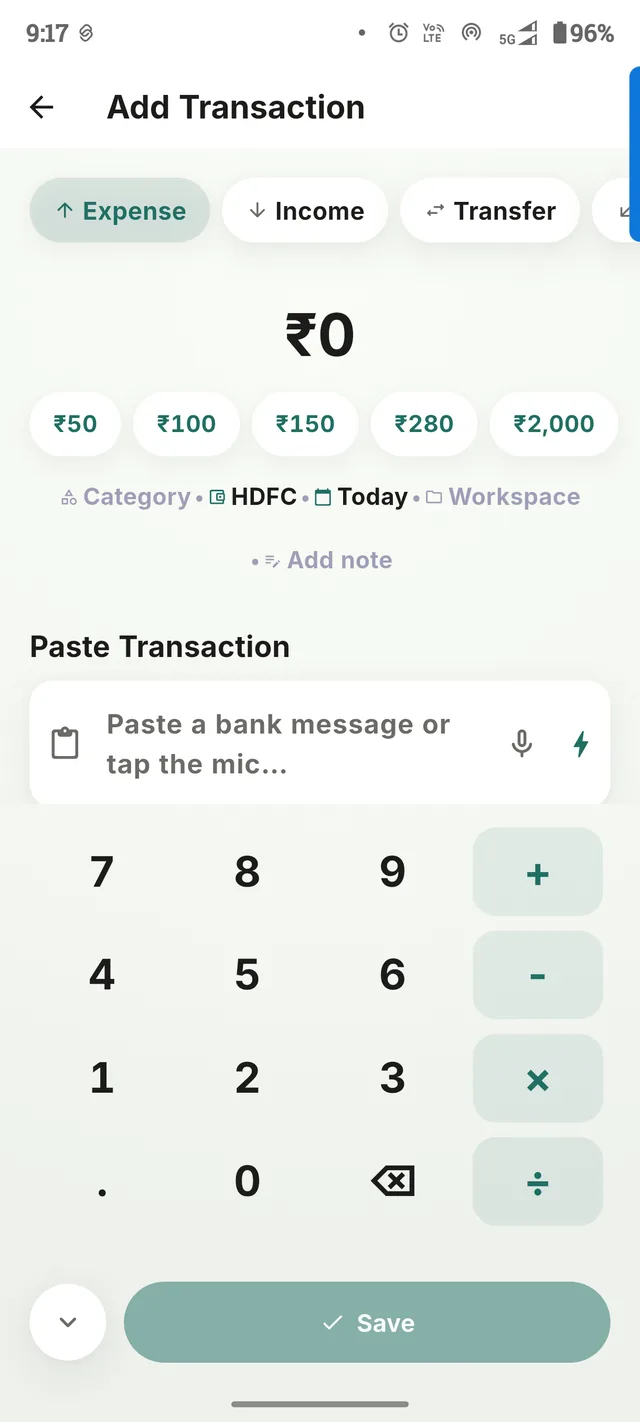
Adding an expense takes about three seconds.
Tap the add button. Enter the amount. Pick what you need. Save. It's already in your Timeline.
Typing not your thing right now? Speak the transaction with Voice Add, or point your camera at a receipt and let Dova read the amount and merchant for you.
Money isn't just a list of numbers.
Know where your money went.
Every expense and every rupee of income, in one honest Timeline — with a clean picture across every account you have.
Plan where it should go.
A monthly budget, category caps, savings goals, and recurring bills you confirm instead of re-typing.
Keep track of money between people.
"You Get" and "You Pay" for money you've lent or borrowed with people you know — and Workspaces for splitting a trip or shared costs.
Organize money for real-life situations.
A customer/supplier ledger for a small business, loans with a real repayment schedule, and notes for the things that don't fit anywhere else.
A closer look
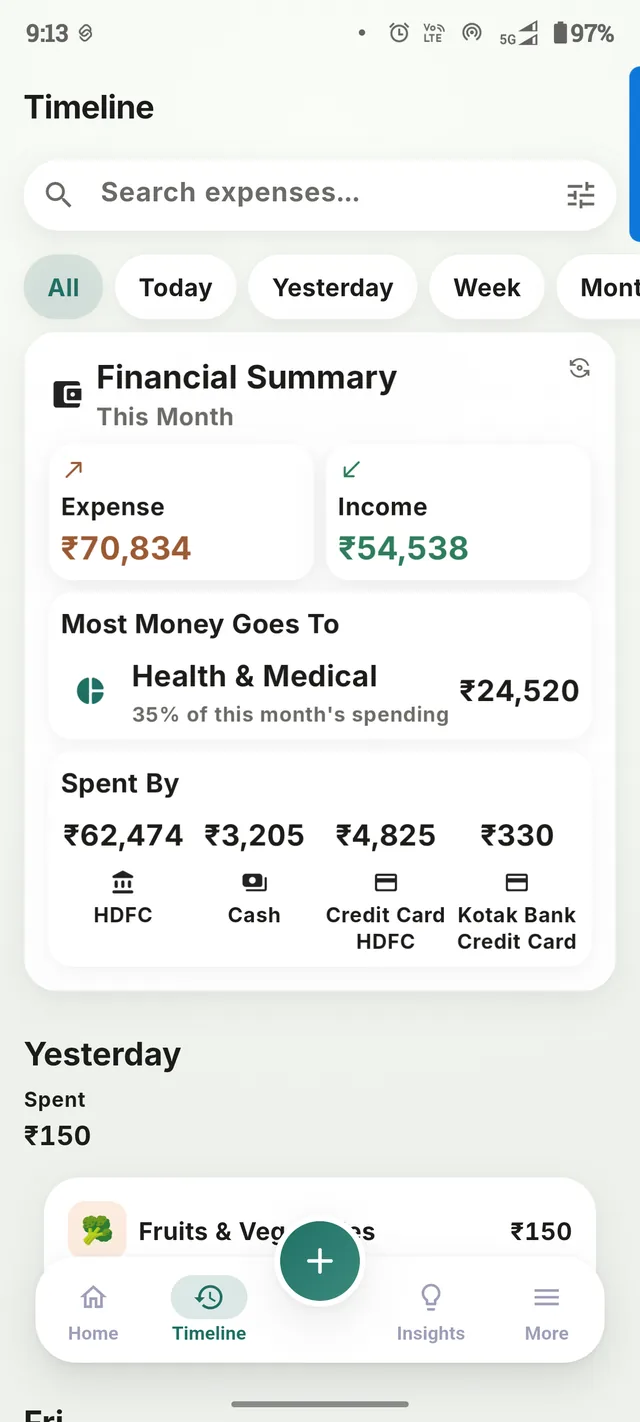
Follow every transaction.
A clean, searchable log of everything you've spent and earned — filter by today, this week, or however far back you need to go.
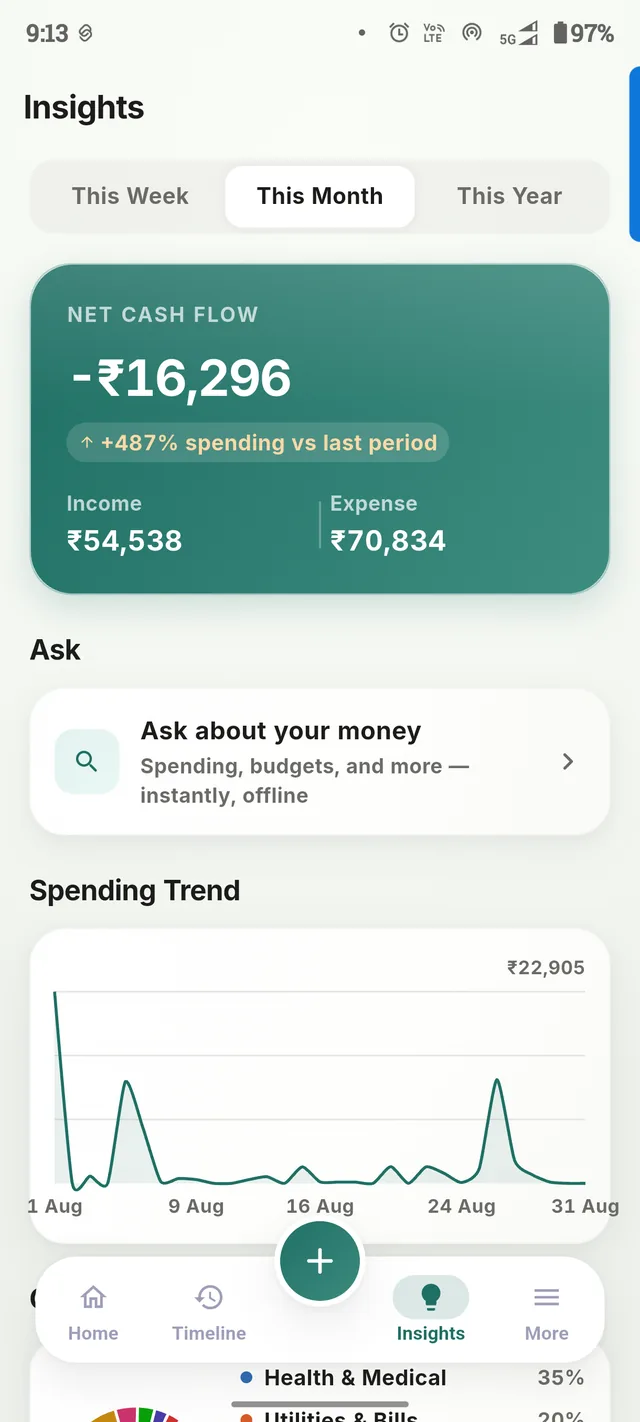
Understand your habits.
Spending trends, where most of your money goes, and an Ask feature that answers questions about your own data — instantly, offline.
Every account, one dashboard.
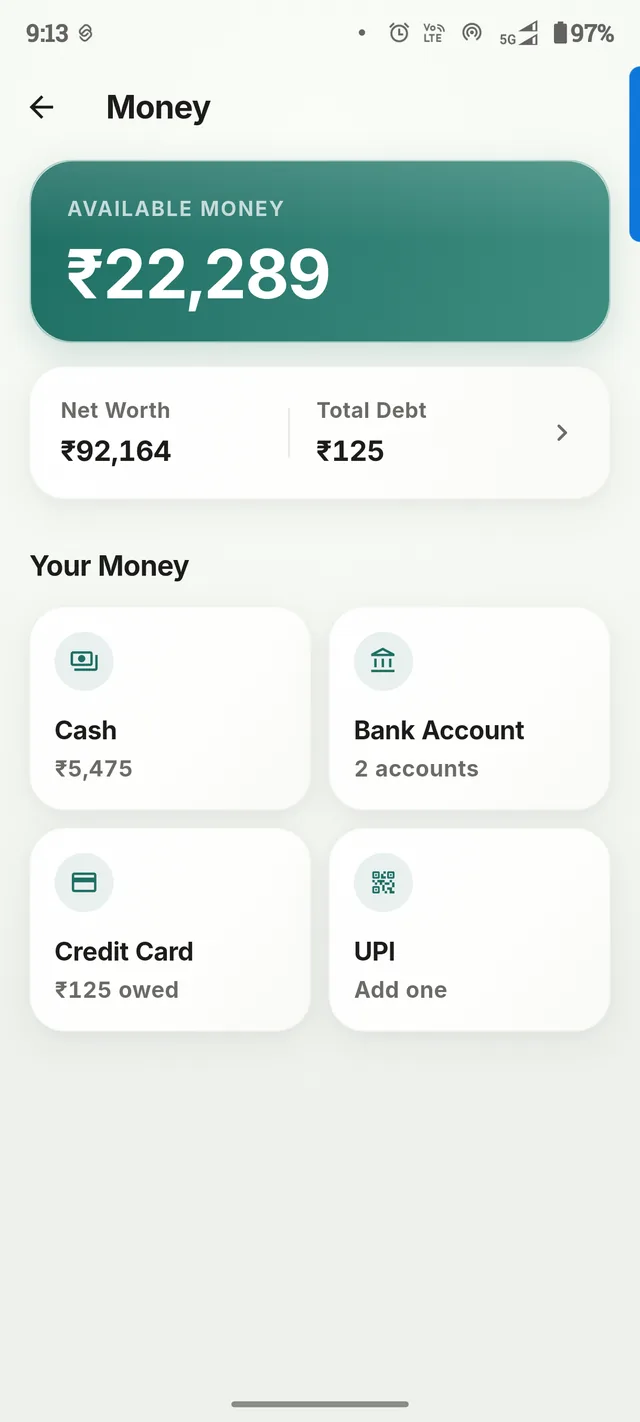
Cash, bank, credit card, UPI — every account in one dashboard, with a Net Worth view that adds it all up.
Split it, then settle up.
A trip with friends or shared costs with roommates — Dova works out who owes what and lets you settle with one tap, with a PDF summary when you need one.
Remember who owes what.
A simple personal ledger for money lent or borrowed with people you know — not a loan product, just a way to keep it straight.
Run your ledger like a khata.
Customers and suppliers, orders and payments, and a catalog of what you sell — familiar bookkeeping, without the paper.
A real repayment schedule.
Lump-sum loans with an actual EMI/amortization schedule — what's paid, what's left, and what's due next.
Save toward something specific.
Set a target, log contributions as you go, and keep a dedicated Emergency Fund goal separate from the rest.
Pick up what you need. Ignore the rest.
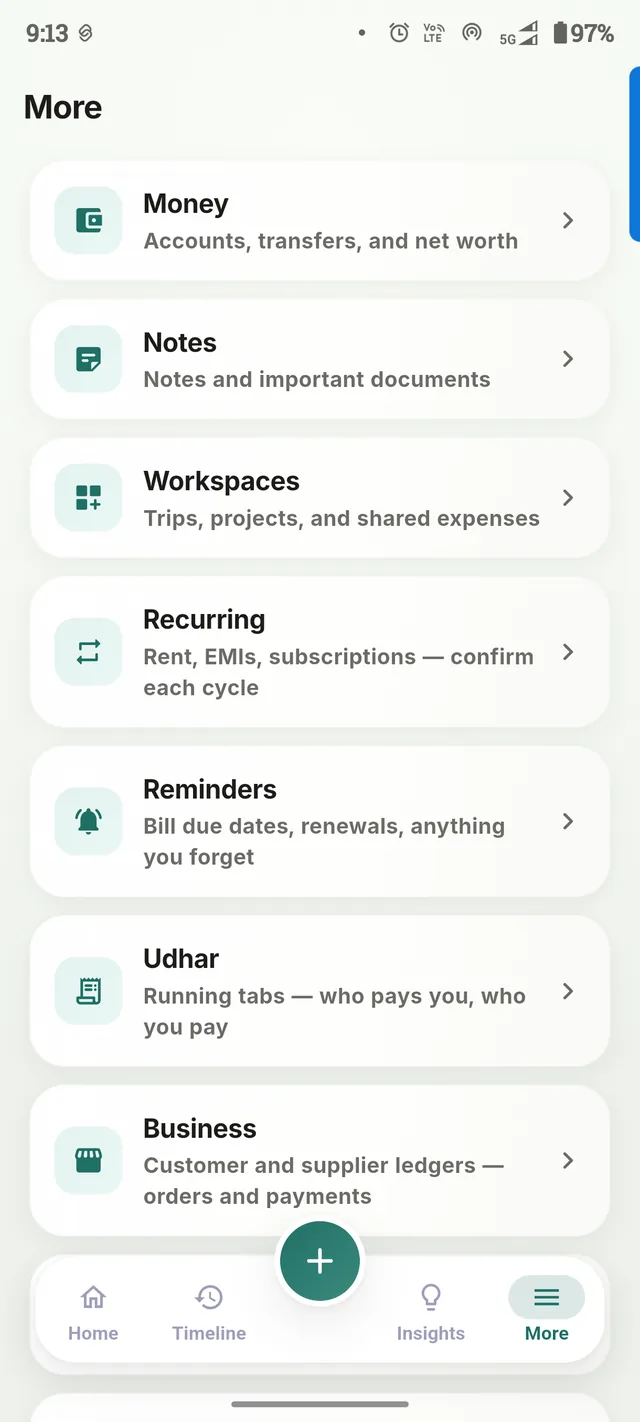
Everything beyond the everyday basics lives in one place — the More tab.
Everyday Money
- Expenses & income
- Timeline
- Multiple accounts
- Net Worth
Plan
- Monthly budget
- Category budgets
- Savings Goals
- Recurring transactions
People & Shared Money
- Workspaces (trips & shared costs)
- Settle up, with PDF export
Borrowed & Owed
- "You Get" / "You Pay"
- Loans with EMI schedule
Business
- Customer & supplier ledger
- Orders, catalog, payments
Capture
- Receipt Scanner (on-device)
- Voice Add
- Home-screen widget
Private
- Secure Notes
- App Lock (biometric or PIN)
- Document notes with expiry reminders
Precise claims, not marketing language.
Offline-first by default
Your financial data is stored in an encrypted database on your own device.
Guest mode needs no account
Use all of Dova without ever signing in or creating an account.
Cloud Backup is opt-in
If you turn it on, your data is encrypted on your device before it's uploaded to your own Google Drive.
Google Sign-In is optional
Only needed if you want Cloud Backup — it's an identity choice, never required to use the app.
On-device Receipt Scanner
Receipts are read on your device using Google ML Kit — the photo is never uploaded anywhere.
No analytics, no ads, no trackers
Dova has no analytics SDK, no crash reporting, no advertising of any kind.
Made in India, built for real life.
INR is the default currency, and "You Get"/"You Pay" and the Business ledger are built around money habits that feel familiar here. Dova also supports 15 currencies, so it travels with you if you don't.
Start free. Upgrade when you need more.
Adding, editing, and deleting transactions, your full Timeline and history, one overall monthly budget, Notes, and App Lock stay free — forever, on every device, with or without Dova Plus.
Go deeper with your money.
See the patterns
Insights, trends, and a Financial Assistant that answers questions about your own spending.
Plan further ahead
Savings Goals, Recurring Transactions, Workspaces, and Loans with a real repayment schedule.
Capture faster
Voice Add, Receipt Scanner, unlimited accounts and categories, and an encrypted Cloud Backup.
Common questions
Is Dova free?
Yes. Adding and tracking transactions, your full Timeline, one overall budget, Notes, and App Lock are free forever. Dova Plus unlocks deeper tools on top.
Do I need an account?
No. Guest mode works fully offline with no sign-up. You can optionally sign in with Google later if you want Cloud Backup.
Where is my financial data stored?
In an encrypted database on your own device. It's only ever sent anywhere if you explicitly turn on the optional Cloud Backup.
Does Dova have ads or tracking?
No. Dova has no analytics SDK, no crash reporting, and no advertising of any kind.
Does Dova work offline?
Yes — Dova is offline-first by design. Cloud Backup is the only feature that needs an internet connection.
How does Voice Add work?
Your device's own speech recognition converts what you say into text, the same as voice typing anywhere else on your phone. On most devices this happens on-device; if it can't, Android may send the audio to Google's speech service to transcribe it.
How does Receipt Scanning work?
A photo of a receipt is read entirely on your device using Google's on-device text recognition. The photo is never uploaded anywhere.
Can I delete my data?
Yes, permanently and at any time, right from Settings — see our Privacy Policy for exactly what that covers.